
react-useTransition
1 min read
Table of Contents
首先我们需要开启节流模式
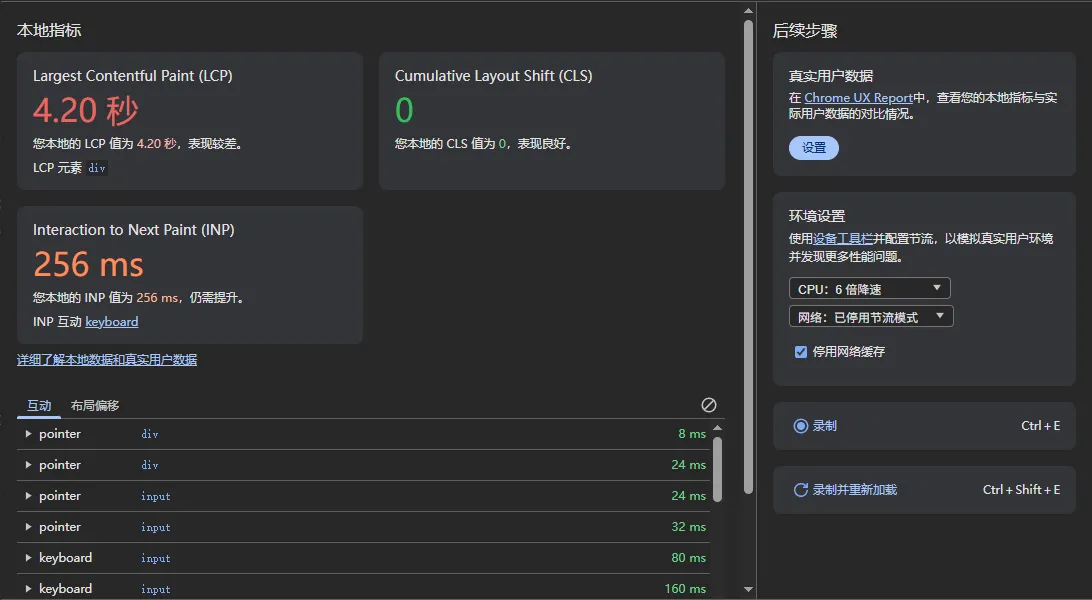
然后我们可以使用useTransition来避免同步渲染造成的页面阻塞
import React, { useEffect, useState, useTransition } from "react"
function App() {  const [keyword, setKeyword] = useState<string>('')  const [list, setList] = useState<{    name: string,    address: string,    id: number  }[]>([])  const fetchData = async (keyword?: string) => {    //结合我们的vite-mock-server来实现数据获取    const res = await (await fetch(`/api/list?keyword=${keyword || 'yujimaka'}`)).json()    //使用了startTransition不会造成页面卡顿    startTransition(() => {      setList(res.list)    })    //不使用useTransition会造成页面卡顿    setList(res.list)  }  const [isPending, startTransition] = useTransition()  useEffect(() => {    fetchData(keyword)  }, [keyword])  const findItem = (e: React.ChangeEvent<HTMLInputElement>) => {    setKeyword(e.target.value)  }  return <>    <input type="text" value={keyword} onChange={(e) => findItem(e)} />    {isPending && <div>加载中...</div>}    {      list.map(item => <div key={item.id}>        {`${item.name}-${item.id}-${item.address}`}      </div>)    }  </>}export default App
评论 (0)
请先登录后再发表评论